


Are your stores using the latest planogram?
A shelf photograph alone cannot show which planogram a store received or was expected to build. Compare the shelf with the revision approved for that fixture, store format and date. Then check which revision was issued and received. The newest file held centrally may still be a draft, apply elsewhere or have a future start date. An apparent compliance failure may be a version mismatch, but the records must establish that before responsibility is assigned.
A weak regional score can conceal different problems. A store may have built an earlier plan, missed the rebuild or received instructions for the wrong fixture. Checking the reference revision helps separate those possibilities before the result becomes an argument about execution.
Why does a planogram change after approval?

A planogram is the diagram that sets which product sits where on a shelf. A fixture is the shelving a category sits on. A bay is one section of that run. A facing is a product position visible at the front of a shelf. A format is a type of store, such as a small metro shop or a large supermarket. A shelf rebuild is the physical work in store that moves stock and shelving to match a new plan.
A revision is an identifiable version of a plan. A team might use numbers, dates or another unique code to distinguish it. The identifier needs to stay with the drawing, rather than relying on a familiar filename.
Approved plans change for plain reasons. A range amendment adds or removes a product, so the facings have to be redrawn. A corrected fixture dimension changes how much shelf there is to fill. A changed promotion moves a display, and the stock around it has to move too. None of those is a failure. An amendment needs its own revision identity and approval before it replaces the issued plan.
Take a hypothetical biscuits plan for a three-bay fixture in the small format. Revision 2 is issued at the start of the cycle. A range amendment follows, and revision 3 is drawn with a start date a fortnight later. Both are genuine plans for the same shelf. The effective date determines which of those two revisions is intended for that fixture in this example.
That example is made up to show the mechanism. It says nothing about how often plans change, and it describes no actual retailer.
How does a store end up on a different revision?

The intended sequence runs from approval to issue, receipt, rebuild and checking. A revision approved centrally still has to reach the store and be built before a shelf check can assess its execution. Each of those steps is a place where the newest revision and the built shelf can come apart.
A newer file in the planning system does not prove it was issued, received or opened. Check its approval and effective date before using it as the reference.
The distinction is between the newest drawing and the applicable revision. The newest drawing is not necessarily approved for release. The applicable revision is the one approved to be in force for that store on that date. A revision with a start date three weeks away is newer than the shelf. It is still not the plan to build. That start date is usually called the effective date.
Applicability also depends on the shelf itself. A revision drawn for a wide fixture in a large format may not fit a small store. A narrow bay cannot carry a plan built for a wider one. Check whether that revision was issued to the store, selected in error or superseded. Holding the wrong file does not establish how the mismatch arose.
Compare the planning record, the store’s working copy and the auditor’s reference. Each needs the same applicable revision identity. Keep the evidence for each handover separate.
| Record | What it can establish | What it leaves open |
|---|---|---|
| Approved plan and effective date | The intended standard for a stated scope | Whether the store received it |
| Issue record | Which revision was sent and when | Whether it was opened or understood |
| Receipt or acknowledgement | What the store confirms receiving | Whether the shelf was rebuilt |
| Dated shelf observation | What was visible at that visit | Why it differed or what happened earlier |
Why does a version mismatch look like poor compliance?

A compliance check compares a shelf with a reference plan. A difference against the wrong reference does not establish failure to build the applicable plan. The report needs the correct reference before the difference is scored or explained.
Take the hypothetical biscuits fixture again. The store built revision 2, which is what it was issued. The auditor opens revision 3, which is what head office now holds. Two facings differ, so the store is marked down. The comparison records a difference, but does not establish failure against the applicable plan. First check whether revision 3 had taken effect and reached that store.
A planogram version mismatch is not the only explanation for a gap. One example proves nothing about a weak regional score. The shelf may never have been rebuilt. It may have been built and then sold through. A delivery may be late. The plan may not fit the bay at all. Those questions need different evidence, and more than one cause may contribute.
Check the reference before treating the result as an execution failure. A report that names the applicable revision can be checked against the issue record and store evidence. Without that identity, the reviewer cannot reliably separate a wrong-reference comparison from a missed build. Where that failure costs money is a subject of its own. For that, the cost of planogram execution problems is the closer read.
What makes the intended revision traceable?
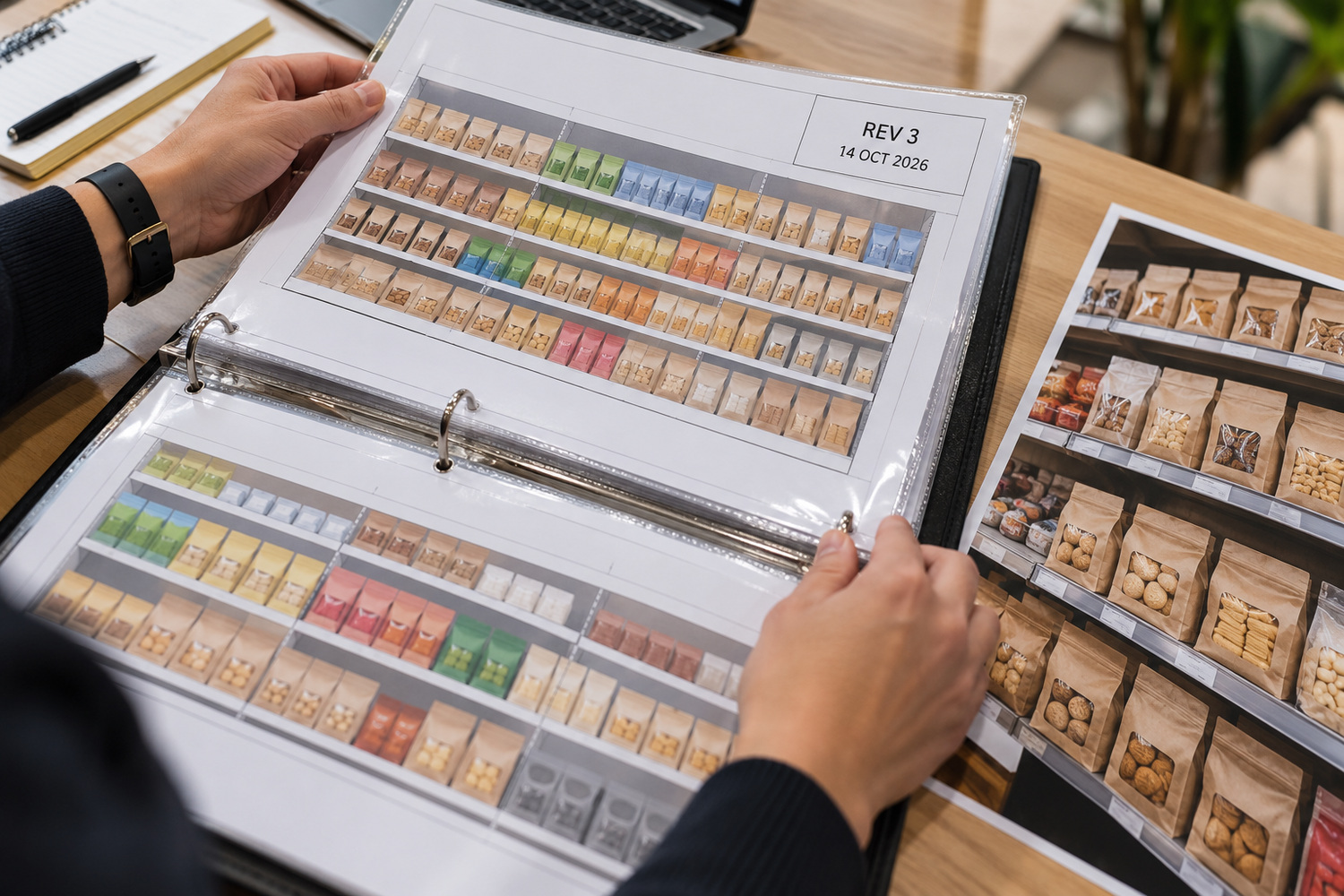
Four pieces of information help make a revision traceable. They are process requirements, rather than a reason by themselves to buy new software.
These are process controls a planning team can set for itself. They are recommended practice here, not fields in any product.
- A plan identity that cannot be confused, carrying the category, the format and a unique revision identifier in one label.
- The fixtures and formats the revision applies to, written on the plan.
- The effective date, on the plan rather than in the message that carried it.
- Evidence of what was issued and received, showing which stores were sent which revision, when it was sent and what receipt was confirmed.
Three naming habits are worth hunting on plans already in circulation. A file named final, with nothing to say which final it is. A plan identified only by the week it was sent. A revision number that sits in the filename and never appears on the drawing itself.
A visual reference earns its place once those four are in order. One option is saving custom virtual-store versions, so each revision stays walkable. The visual scene needs to be tied to the same revision identifier; saving a scene alone does not establish its approval or release status. A guided store walk and a dated photograph help in the aisle. The person checking can hold the shelf against the revision that store was given. That comparison is human work. Nothing in it recognises a product or verifies a shelf on its own.
What does revision discipline leave unresolved?

A complete revision record helps establish which plan applied. It does not establish whether the plan was commercially right, or whether every store had the stock and opportunity to build it.
Whether the plan itself was right is the subject of when the intended standard is wrong. A shelf can be built faithfully and still be the wrong shelf for that aisle. A separate question is what a shelf test should examine. On that, what a planogram test examines is the closer read.
Revision discipline does not say which alternative layout would sell more either. That is a question for a test, not for a version history. The issuing team needs to maintain the reference. Store teams also need a way to report a missing, conflicting or unsuitable copy.
For a category under review, identify the applicable plan before comparing the shelf evidence. If the issue record is incomplete, record that uncertainty rather than treating the store as at fault. Storelab’s saved virtual versions and guided store walks can support visual communication; the team still owns the approval, issue record and judgement.
The line to change in the next compliance report is the reference. It should name the revision each store was scored against, before it reports how many of them complied.
Frequently asked questions
What is a planogram revision?
A revision identifies a changed shelf plan. Give it a unique code that stays on the drawing, so people can distinguish it from earlier copies even when the layouts look similar.
Does the latest planogram always apply?
Not always. A newer drawing can be waiting on its start date, or belong to a store type with different shelving. A store should build whatever was in force for it on the day.
How can you tell a version mismatch from poor compliance?
Compare the applicable plan, the copy received and the dated shelf evidence. A match to an earlier copy suggests a version issue to investigate; it does not by itself establish who was responsible.
What is a planogram’s effective date?
It marks the day a revision takes over from the one before it. Printing that day on the drawing keeps it with the plan, so nobody has to hunt through a message trail for it.