HIGH-FIDELITY VISUAL DIGITAL TWINS

Digital Twins

An accurate version of the product, the fixture, the store or the site. Build it once, then use it before anything physical changes.

More than a render. A reusable asset for the next decision.

A twin keeps the scale, the layout and the context of the real thing. It can be one pack, one fixture, a store that already exists, or a space that has not been built.

Built once. Used again whenever the question changes.

Bring the same asset back for the next planogram, the next study, the next training piece or the next presentation. Update the product or the layout without starting again.
STORELAB™ DIGITAL TWINS | WHAT WE RECREATE

From a single product to the whole environment.

Products
01

Product twins

Accurate digital versions of packs, products, variants and ranges. Reuse them on shelf, inside environments and across future projects without starting again.
Fixtures & equipment
02

Fixture & equipment twins

Shelving, displays, refrigeration, kiosks, counters and equipment recreated to scale so layouts, fit and interaction can be judged in context.
Environments
03

Environment twins

High-fidelity digital environments built around the real spatial relationships people need to see, from a category or aisle to a complete store or site.
Existing spaces
04

Existing locations

Recreate a current location from drawings, imagery and available source material so teams can work with the space without needing everyone physically there.
Future spaces
05

Future concepts

Build proposed formats, layouts and spaces before they exist. Explore alternatives, find issues early and align stakeholders before physical investment.
Libraries
06

Reusable asset libraries

Create a growing library of products, fixtures and environments that can be updated and reused, accelerating future planning, visualisation and testing.

Built to be used, not just viewed.

Scale & fidelity

Preserve the proportions, detail and visual context needed to make meaningful judgements, not just create a good-looking image.

Library advantage

Start faster from StoreLab’s growing libraries, including 55K+ product models and 200+ retail environments already built and deployed globally.

Reuse & evolve

Update products, fixtures or layouts without rebuilding the entire world. The asset becomes more useful as the business keeps using it.

Extend when needed

Use the twin as the foundation, then add planning, collaboration, research or training capability when the brief calls for it.
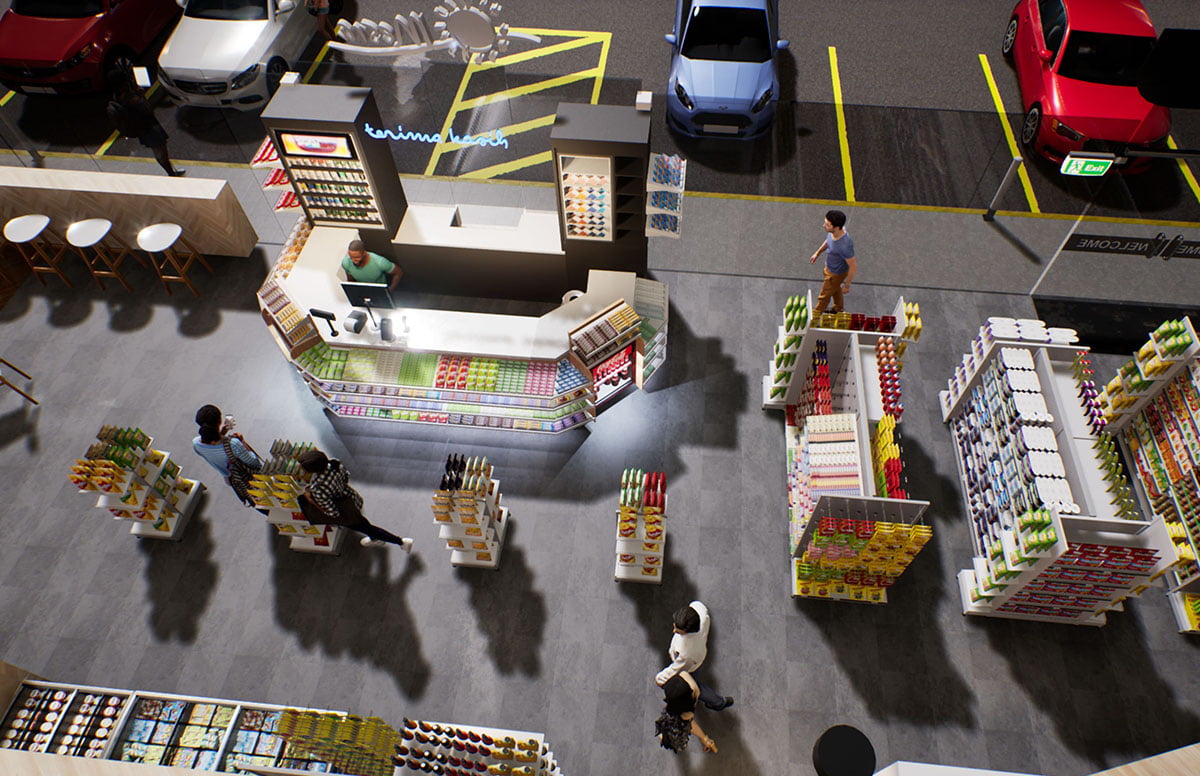
High-fidelity StoreLab virtual retail environment
INTERACTIVE DIGITAL TWINS

Explore a digital twin in 3D.Then view it in your space.

Rotate and inspect two real StoreLab 3D assets directly in the browser. On supported phones, tap View in AR to place the model into your own environment and experience the asset spatially.

01 / STOCKED DUMP BIN

Review a finished display before it reaches store.

Loading 3D model
Drag to rotate · Pinch or scroll to zoom

Inspect structure, graphics, stocking and proportions from every angle. The same approved asset can then be reused across visualisation, presentations and AR review.


Browser 3DMobile ARReusable
02 / FLOORSTANDING DISPLAY

See the full asset in context, not just as artwork.

Loading 3D model
Drag to rotate · Pinch or scroll to zoom

Review the complete floorstanding unit, including structure, shelves, graphics and stocked product. On mobile, AR helps teams understand how the asset feels within a physical space.

Browser 3DMobile ARSpatial review

The model is the asset. The same 3D twin can be used in a browser, viewed in AR and reused across wider StoreLab applications without recreating it from scratch.

AR availability depends on the viewer's device and browser.

PRODUCT MODELS

55 K+

Individual 3D product models / SKUs ready to use and build from
VIRTUAL ENVIRONMENTS

200 +

Built and deployed globally
PROVEN EXPERIENCE

10+YEARS

Delivering virtual solutions for brands, retailers and agencies
BUILT TO DEPLOY

GLOBAL

Used across markets, teams and customer environments
WORKFLOW

From source material to a reusable digital asset.

Define & gather

Agree what needs to be represented, the level of accuracy required and gather the best available drawings, imagery, product data and reference material.

Build & validate

Create the products, fixtures and environment to the required scale and visual fidelity, then check the result against the source.

Reuse & evolve

Keep the twin as a working asset that can be updated and reused as products, formats, environments and business questions change.
© 2026 StoreLab™. All rights reserved.
Designed & developed by CJ Digital